

Our Services
Leica BLK360 vs. Professional Scanning: Which Approach Fits Your Project?
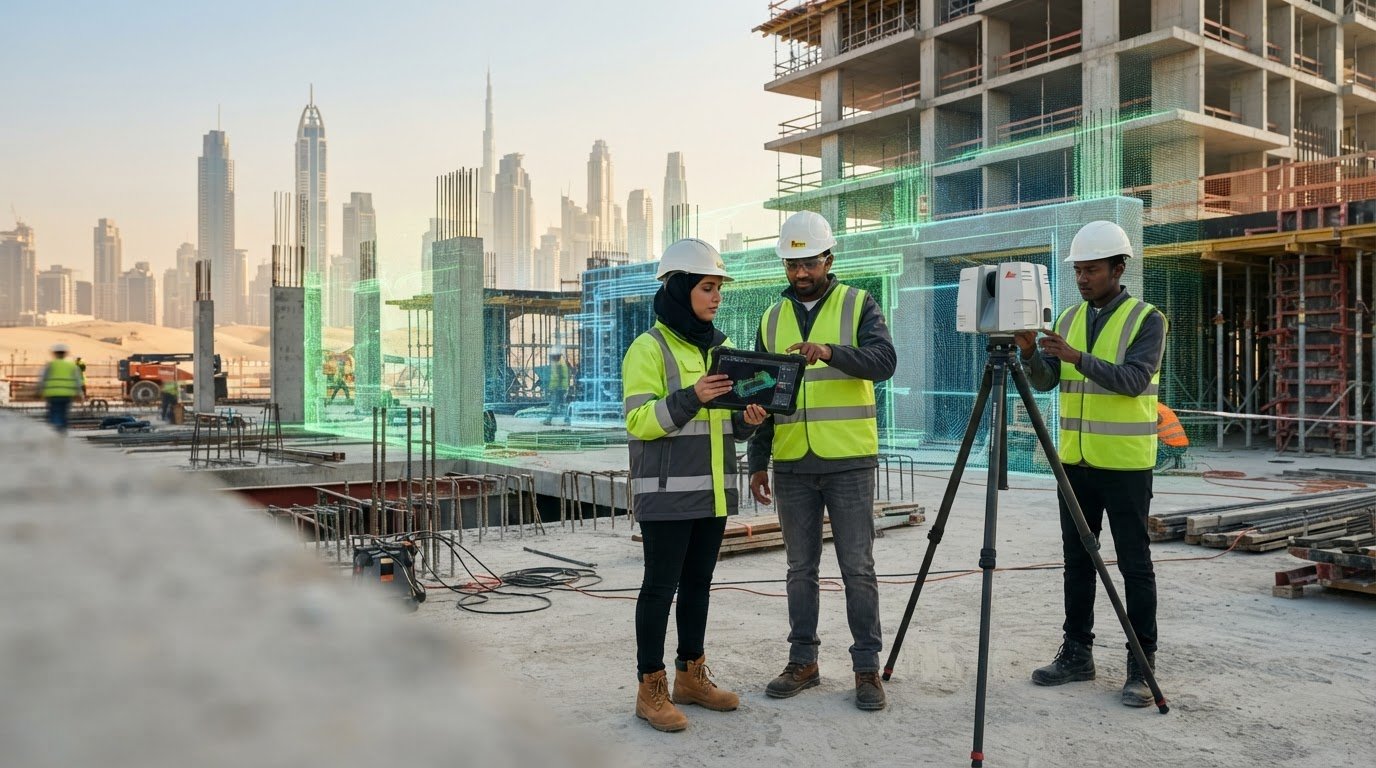
The Leica BLK360 may capture a site, but the scanner alone does not determine whether the data will support your next design decision. That is the key distinction in Leica BLK360 vs professional scanning: one is a piece of equipment; the other is a coordinated approach to defining the capture, managing the data and preparing project outputs.
It is understandable to focus first on the scanner. The right tool matters, but project size, site conditions and required deliverables also shape the approach. A point cloud may be sufficient for one task, while a structured model may be needed for another. Before deciding, establish what needs to be recorded, who will process the data and how the project team will use the handover.
This guide explains what happens beyond field capture and how to match an approach to your project. You will learn how scope, access, data processing and modeling affect the deliverable. For projects in Dubai and across the UAE, GEOTECH 3D provides professional 3D scanning and Scan to BIM services, with capture options for indoor, outdoor and over-ceiling areas.
Key Takeaways
- Leica BLK360 vs professional scanning compares a capture tool with a broader project workflow, not two equivalent products.
- Define the required output and site coverage, including indoor, outdoor or over-ceiling areas, before planning a scan.
- Use a practical sequence to specify the deliverable, map the site and assign responsibility for capture, processing and modeling.
- Distinguish point-cloud data from a BIM model so the handover matches the project team’s intended use.
- GEOTECH 3D provides 3D scanning and Scan to BIM services for projects in Dubai and across the UAE.
Leica BLK360 vs. professional scanning: what is actually being compared?
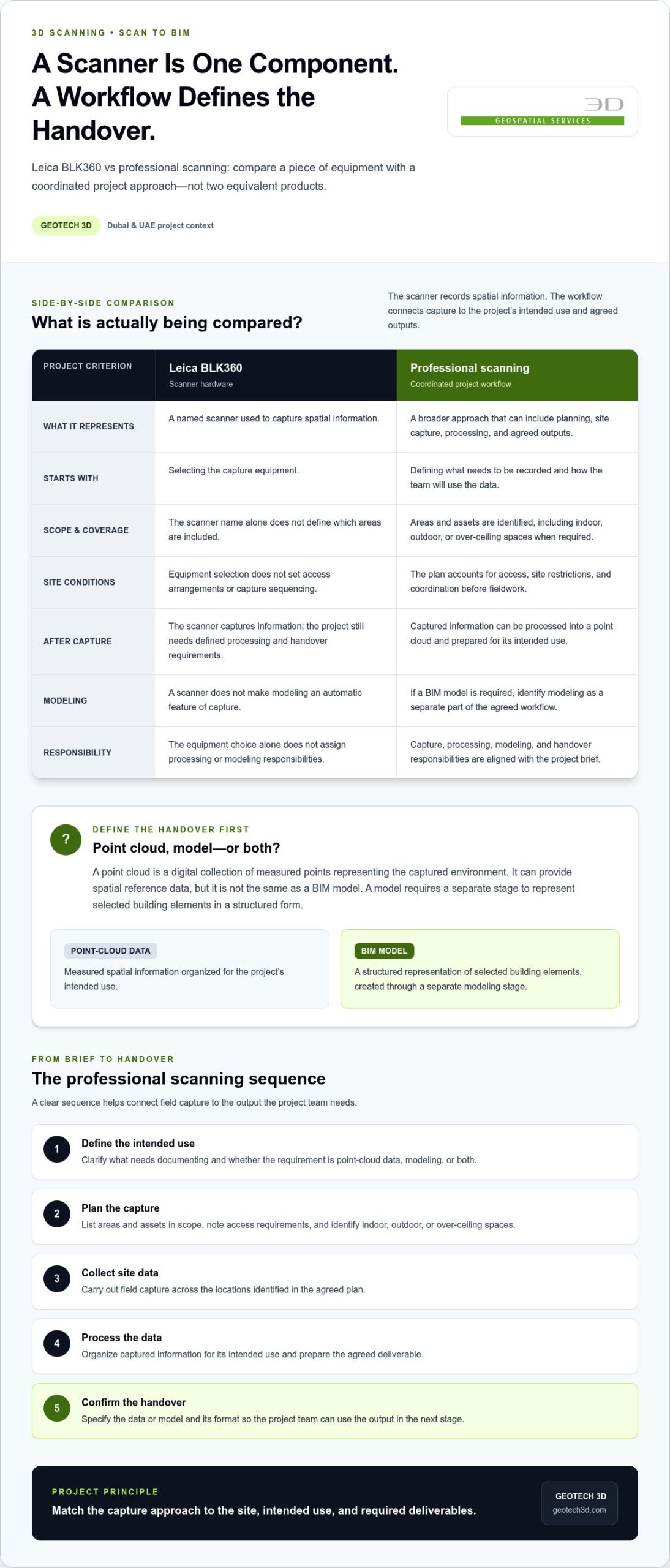
A Leica BLK360 is scanner hardware. Professional scanning is a project approach that can cover planning the capture, collecting site data, processing the resulting point cloud and preparing agreed outputs. The distinction matters because the scanner records spatial information, while the workflow determines how that information is gathered and made useful for a specific task.
So, Leica BLK360 vs professional scanning is a comparison of approaches, not equivalent products. The suitable scope depends on the site, the intended use of the data and the deliverables required by the project team. A scanner name alone does not define the areas to be captured, the processing responsibilities or whether modeling is part of the work.
Both approaches draw on LiDAR, which measures distance using laser light. A general explanation of LiDAR technology provides useful context, but understanding the sensor does not answer practical project questions: which areas need coverage, what data will be handed over, and who will prepare it for the next stage?
What does a Leica BLK360 represent in this comparison?
The Leica BLK360 represents a named scanner in the comparison. Naming it does not establish the scope or suitability of a project. No model specifications are needed to understand the main distinction: choosing equipment is one decision, while coordinating site access, capture coverage, data handling and deliverables involves broader project responsibilities.
For example, a team may need existing conditions recorded before a refurbishment. The useful questions are which rooms and other areas are in scope, who needs the information and what they will do with it. If the handover is meant to support design coordination, define that purpose before capture rather than assuming that any scan will automatically meet it.
What does professional scanning include?
A professional workflow starts with the project requirements and intended use of the data. The field capture is then planned around the site and agreed scope. Captured information can be processed into a point cloud, with outputs prepared according to the project’s handover requirements. If a model is required, modeling needs to be identified as part of the workflow rather than treated as an automatic feature of the scanner.
GEOTECH 3D provides 3D scanning and Scan to BIM services in the UAE, with indoor, outdoor and over-ceiling data capture. When Scan to BIM is required, specify which areas and building elements matter, who will use the model and how it fits the project’s design process. This gives the capture and modeling scope a clear purpose.
Frame the decision around the handover before choosing the capture approach. Is the requirement for point-cloud data, a model, or both? Which areas are in scope, and how will the design or project team use the output? Clear answers help align capture, processing and modeling responsibilities. The comparison is not about declaring one option universally better; it is about matching equipment-led capture or a professional workflow to the project’s intended deliverables.
From field capture to usable data: how professional scanning works
A scanning workflow should be shaped by the information the project needs, not simply by the act of collecting measurements. In the Leica BLK360 vs professional scanning comparison, the practical difference is how the work connects site capture to a defined use, whether that means reviewing existing conditions or preparing information for design coordination.
A clear sequence helps teams align the fieldwork with the handover:
- Define the intended use. Identify what needs to be documented and how the team will use the data. This helps distinguish a point-cloud requirement from a modeling requirement.
- Plan the capture. List the areas and assets in scope. Note access requirements and whether the work includes indoor, outdoor or over-ceiling spaces.
- Collect site data. Carry out the agreed field capture across the locations identified in the plan.
- Process the data. Organize the captured information for its intended use and prepare the agreed deliverable.
- Hand over the outputs. Confirm the specified data or model and its format so the project team can use it in the next stage of work.
How project scope shapes the capture plan
Start with the areas and assets the project needs documented, then connect each to its intended use. A refurbishment may focus on interior conditions, while a wider site record may include outdoor areas as well. If over-ceiling spaces are in scope, identify them in the brief and coordinate access before fieldwork.
Access and sequencing matter. Confirm which areas can be entered, who coordinates access and whether the site has restrictions that affect the capture plan. Separating the scope by area also makes it easier to identify omissions before work begins. These details help keep fieldwork aligned with the project brief.
What happens after a scan is captured?
Processing organizes captured information for the agreed purpose. A point cloud is a digital collection of measured points representing the captured environment. It can serve as spatial reference data, but it is not the same as a BIM model. A model requires a separate modeling stage to represent selected building elements in a structured form.
Point-cloud-to-BIM is a workflow that uses captured spatial data as the basis for creating a project-specific building model, not a feature of the scanner itself. Not every project needs this step. Some teams need point-cloud data; others specify BIM development. Make the difference clear in the scope and handover requirements. For further context, GEOTECH 3D’s guide to BIM modeling from laser scans explores this modeling stage.
For projects in Dubai and across the UAE, aligning capture with the intended output helps teams plan around site conditions and downstream use. GEOTECH 3D provides professional 3D scanning, with project scope connecting field capture to the agreed data or modeling deliverables.
Leica BLK360 vs. professional scanning: compare the right project criteria
A useful comparison looks beyond the scanner. Consider who is responsible for each stage, from arranging access and capture to processing and final handover. This makes the difference between equipment-led capture and a professional scanning service clear without assuming that either approach guarantees a particular result.
Project requirements, not device names alone, should drive the scanning decision. Use the criteria below to identify where responsibilities sit and what your team needs to manage.
| Criterion | Equipment-led capture | Professional scanning service |
|---|---|---|
| Ownership | Your team operates or arranges the scanner and manages the capture task. | The service is scoped around the project’s capture needs and agreed deliverables. |
| Capture planning | Your team defines coverage, coordinates access and identifies the areas to record. | Capture planning is aligned with the specified site scope and intended use. |
| Processing | Your team needs a workflow and capacity to process the captured information. | Processing responsibilities can be defined in the project scope. |
| Modeling | Modeling remains a separate task unless your team includes it in its workflow. | Modeling can be included when the required output calls for it, including Scan to BIM. |
| Handover | Your team defines and prepares the outputs for downstream use. | Outputs are agreed as part of the scope and prepared for project handover. |
When an equipment-led approach may fit
This approach may suit a team with an established capture and processing workflow, a clear understanding of the required coverage and the capacity to manage outputs internally. For example, a team with a defined process for recording selected existing conditions may prefer to coordinate the task itself. That does not establish that a particular scanner is suitable; it helps clarify whether the project team can take responsibility for each stage, including processing and handover.
When professional scanning may fit better
Professional scanning may suit a project where capture needs to be coordinated with other site activities or where the team has limited capacity for processing and modeling. It can also help when the project needs a clearly scoped handover, such as point-cloud data or a model. GEOTECH 3D provides 3D scanning and Scan to BIM services, so project teams can define the required capture and modeling scope together.
Before selecting an approach, write down the required output, areas in scope and responsibilities your team can manage. Then compare that brief with the proposed workflow. This keeps the decision focused on project needs rather than assumptions about a device name, and gives teams in Dubai and across the UAE a clearer basis for defining scope and handover expectations.
How to decide on a scanning approach for a Dubai or UAE project
Choose an approach by working backward from the intended handover. This keeps the decision practical: a scanner is only part of the plan, while the project team must also account for coverage, access coordination and the capacity to turn captured information into usable outputs. For Leica BLK360 vs professional scanning, ask which approach fits those responsibilities and the project’s intended use.
Use this sequence to shape the decision:
- Define the output. Decide whether the requirement is existing-condition documentation, design coordination, point-cloud data, BIM development or a combination.
- Map the site scope. Identify the buildings, spaces or assets to document, including indoor, outdoor and over-ceiling areas where relevant.
- Assess workflow capacity. Establish who will coordinate capture, process the data and prepare any required model.
- Select the delivery approach. Choose equipment-led capture or a professional workflow based on the agreed scope, available team capacity and handover needs.
What should project teams define before capture?
Prepare a concise brief that records intended use, locations and output requirements. For a Dubai refurbishment, for example, teams may need selected interior areas documented for design coordination, while a broader building record could include outdoor or over-ceiling spaces. Identify the preferred deliverables and any relevant BIM workflow requirements so the capture and modeling scope can be aligned with how the information will be used.
- Areas and assets to be documented, with indoor, outdoor and over-ceiling coverage identified separately.
- Purpose of the data, such as condition records, design coordination or BIM development.
- Access considerations and site coordination contacts for the locations in scope.
- Expected handover, including point-cloud data or a BIM model.
How to align scope, site coordination, and outputs
Clear scope helps the team plan where capture is needed and coordinate access with the people responsible for the site. It also reduces ambiguity at handover: a request for a point cloud is different from a request for a modeled building, and the model’s intended use should guide the agreed level of detail. For renovation documentation, this planning approach complements a 3D laser scanning renovation guide by connecting site records to the project’s next steps.
In Dubai and elsewhere in the UAE, site conditions and coordination arrangements vary between projects. A structured brief gives the scanning workflow a useful starting point without assuming every site or deliverable follows the same requirements. GEOTECH 3D provides professional 3D scanning and Scan to BIM services, with the project brief guiding the capture and modeling scope.
Professional 3D scanning in Dubai: connecting capture to project deliverables
A useful scanning brief should account for how project stakeholders will review and use the resulting information. Architects, engineers, contractors and asset teams may approach the same site record with different questions. Identify the intended users early, then specify what they need to review and how the output fits the next project stage. This gives the capture and handover a practical focus.
What GEOTECH 3D brings to a scanning workflow
GEOTECH 3D’s Scan to BIM presentation lists Bubble view as a feature. During scoping, consider how the captured information will be reviewed, who needs access to it and what decisions it is expected to support. These questions help shape the workflow around the project’s review needs rather than assuming every team will use the information in the same way.
GEOTECH 3D provides professional 3D scanning in the UAE, including indoor, outdoor and over-ceiling data capture. The company’s Scan to BIM service gives teams a way to define a modeling requirement alongside the scanning scope. State the areas to capture, the intended use and the expected handover so responsibilities are clear from the outset.
Discuss your project scope with the Dubai team
For a productive discussion, bring the project’s intended use, relevant stakeholders and known site coordination considerations. Identify who will review the handover and how the information fits into the project’s next stage. These details provide a clearer basis for defining scanning scope for work in Dubai or elsewhere in the UAE.
GEOTECH 3D works with project teams to define professional scanning requirements around the practical needs of the site and its users.
Turn your scanning brief into a practical next step
Before capture begins, bring the intended use, areas in scope and required handover into one brief. This gives the project team a shared reference for planning and reviewing the work. It also makes responsibilities easier to assign: specify who coordinates site access, who processes the captured data and who reviews the final output.
Include the stakeholders who will use the information in the discussion. Their input can clarify what needs to be recorded and how the results will support coordination or design work. For example, identify whether the team needs a point cloud for reference, a model for a defined BIM task, or both. This helps keep the workflow focused on project requirements.
For projects in Dubai and across the UAE, GEOTECH 3D provides 3D scanning and Scan to BIM services. Share your scope and intended deliverable to start a focused project discussion.
A clear brief is a practical first step toward a scanning workflow that fits your project.
Frequently Asked Questions
Is the Leica BLK360 the same as professional 3D scanning?
No. They refer to different things, so compare the responsibilities attached to the project rather than treating the terms as interchangeable. Before work starts, record who will coordinate site access, organize the captured files, manage processing and prepare the handover. This responsibility list can prevent gaps between fieldwork and later use, particularly when several project parties need to coordinate around the same site information.
Can a Leica BLK360 produce BIM models by itself?
No. A BIM model requires a modeling step beyond scanner operation. To define that step, identify which building elements matter to the project and who will use the model. For a refurbishment, the design team may need selected existing elements represented for coordination, while other areas may not be relevant. Setting priorities beforehand helps focus the modeling scope on the intended task.
What is the difference between a point cloud and a BIM model?
A point cloud is captured spatial information; a BIM model is a structured representation developed for building-related work. To distinguish the deliverables, ask what the recipient needs to do: inspect recorded conditions, reference geometry or work with modeled elements. Include that intended task in the brief and identify who will review the output so expectations are clear.
When should a project use professional scanning services instead of relying on equipment alone?
Consider professional support if fieldwork, data handling or handover would compete with your team’s other project responsibilities. For example, a team managing several design and construction tasks may benefit from assigning scanning and processing responsibilities clearly rather than adding them informally. Equipment-led capture may suit a team with established internal procedures. The key is to assign responsibility for each task before setting the handover requirements.
Can GEOTECH 3D support over-ceiling scanning in the UAE?
Yes. GEOTECH 3D provides over-ceiling data capture. In the project brief, specify the spaces involved and why the information is needed, such as documenting existing conditions for a renovation or supporting coordination. Include known access requirements, site contacts and any areas that must remain operational during the work. These details help the team plan sequencing and coordination for the specific Dubai or UAE site.
Which scanners does GEOTECH 3D name for its scanning services?
GEOTECH 3D’s Scan to BIM presentation names the Faro S350, Leica RTC 360 and Navvis VLX 3. Treat these names as equipment context, not a substitute for defining the brief. Share the site areas, intended use and required handover with the project team. That keeps the discussion focused on scope and deliverables rather than unverified performance comparisons between scanner models.
The Leica BLK360 may capture a site, but the scanner alone does not determine whether the data will support your next design decision. That is the key distinction in Leica BLK360 vs professional scanning: one is a piece of equipment; the other is a coordinated approach to defining the capture, managing the data and preparing project outputs.
It is understandable to focus first on the scanner. The right tool matters, but project size, site conditions and required deliverables also shape the approach. A point cloud may be sufficient for one task, while a structured model may be needed for another. Before deciding, establish what needs to be recorded, who will process the data and how the project team will use the handover.
This guide explains what happens beyond field capture and how to match an approach to your project. You will learn how scope, access, data processing and modeling affect the deliverable. For projects in Dubai and across the UAE, GEOTECH 3D provides professional 3D scanning and Scan to BIM services, with capture options for indoor, outdoor and over-ceiling areas.
Key Takeaways
- Leica BLK360 vs professional scanning compares a capture tool with a broader project workflow, not two equivalent products.
- Define the required output and site coverage, including indoor, outdoor or over-ceiling areas, before planning a scan.
- Use a practical sequence to specify the deliverable, map the site and assign responsibility for capture, processing and modeling.
- Distinguish point-cloud data from a BIM model so the handover matches the project team’s intended use.
- GEOTECH 3D provides 3D scanning and Scan to BIM services for projects in Dubai and across the UAE.
Leica BLK360 vs. professional scanning: what is actually being compared?
A Leica BLK360 is scanner hardware. Professional scanning is a project approach that can cover planning the capture, collecting site data, processing the resulting point cloud and preparing agreed outputs. The distinction matters because the scanner records spatial information, while the workflow determines how that information is gathered and made useful for a specific task.
So, Leica BLK360 vs professional scanning is a comparison of approaches, not equivalent products. The suitable scope depends on the site, the intended use of the data and the deliverables required by the project team. A scanner name alone does not define the areas to be captured, the processing responsibilities or whether modeling is part of the work.
Both approaches draw on LiDAR, which measures distance using laser light. A general explanation of LiDAR technology provides useful context, but understanding the sensor does not answer practical project questions: which areas need coverage, what data will be handed over, and who will prepare it for the next stage?
What does a Leica BLK360 represent in this comparison?
The Leica BLK360 represents a named scanner in the comparison. Naming it does not establish the scope or suitability of a project. No model specifications are needed to understand the main distinction: choosing equipment is one decision, while coordinating site access, capture coverage, data handling and deliverables involves broader project responsibilities.
For example, a team may need existing conditions recorded before a refurbishment. The useful questions are which rooms and other areas are in scope, who needs the information and what they will do with it. If the handover is meant to support design coordination, define that purpose before capture rather than assuming that any scan will automatically meet it.
What does professional scanning include?
A professional workflow starts with the project requirements and intended use of the data. The field capture is then planned around the site and agreed scope. Captured information can be processed into a point cloud, with outputs prepared according to the project’s handover requirements. If a model is required, modeling needs to be identified as part of the workflow rather than treated as an automatic feature of the scanner.
GEOTECH 3D provides 3D scanning and Scan to BIM services in the UAE, with indoor, outdoor and over-ceiling data capture. When Scan to BIM is required, specify which areas and building elements matter, who will use the model and how it fits the project’s design process. This gives the capture and modeling scope a clear purpose.
Frame the decision around the handover before choosing the capture approach. Is the requirement for point-cloud data, a model, or both? Which areas are in scope, and how will the design or project team use the output? Clear answers help align capture, processing and modeling responsibilities. The comparison is not about declaring one option universally better; it is about matching equipment-led capture or a professional workflow to the project’s intended deliverables.
From field capture to usable data: how professional scanning works
A scanning workflow should be shaped by the information the project needs, not simply by the act of collecting measurements. In the Leica BLK360 vs professional scanning comparison, the practical difference is how the work connects site capture to a defined use, whether that means reviewing existing conditions or preparing information for design coordination.
A clear sequence helps teams align the fieldwork with the handover:
- Define the intended use. Identify what needs to be documented and how the team will use the data. This helps distinguish a point-cloud requirement from a modeling requirement.
- Plan the capture. List the areas and assets in scope. Note access requirements and whether the work includes indoor, outdoor or over-ceiling spaces.
- Collect site data. Carry out the agreed field capture across the locations identified in the plan.
- Process the data. Organize the captured information for its intended use and prepare the agreed deliverable.
- Hand over the outputs. Confirm the specified data or model and its format so the project team can use it in the next stage of work.
How project scope shapes the capture plan
Start with the areas and assets the project needs documented, then connect each to its intended use. A refurbishment may focus on interior conditions, while a wider site record may include outdoor areas as well. If over-ceiling spaces are in scope, identify them in the brief and coordinate access before fieldwork.
Access and sequencing matter. Confirm which areas can be entered, who coordinates access and whether the site has restrictions that affect the capture plan. Separating the scope by area also makes it easier to identify omissions before work begins. These details help keep fieldwork aligned with the project brief.
What happens after a scan is captured?
Processing organizes captured information for the agreed purpose. A point cloud is a digital collection of measured points representing the captured environment. It can serve as spatial reference data, but it is not the same as a BIM model. A model requires a separate modeling stage to represent selected building elements in a structured form.
Point-cloud-to-BIM is a workflow that uses captured spatial data as the basis for creating a project-specific building model, not a feature of the scanner itself. Not every project needs this step. Some teams need point-cloud data; others specify BIM development. Make the difference clear in the scope and handover requirements. For further context, GEOTECH 3D’s guide to BIM modeling from laser scans explores this modeling stage.
For projects in Dubai and across the UAE, aligning capture with the intended output helps teams plan around site conditions and downstream use. GEOTECH 3D provides professional 3D scanning, with project scope connecting field capture to the agreed data or modeling deliverables.
Leica BLK360 vs. professional scanning: compare the right project criteria
A useful comparison looks beyond the scanner. Consider who is responsible for each stage, from arranging access and capture to processing and final handover. This makes the difference between equipment-led capture and a professional scanning service clear without assuming that either approach guarantees a particular result.
Project requirements, not device names alone, should drive the scanning decision. Use the criteria below to identify where responsibilities sit and what your team needs to manage.
| Criterion | Equipment-led capture | Professional scanning service |
|---|---|---|
| Ownership | Your team operates or arranges the scanner and manages the capture task. | The service is scoped around the project’s capture needs and agreed deliverables. |
| Capture planning | Your team defines coverage, coordinates access and identifies the areas to record. | Capture planning is aligned with the specified site scope and intended use. |
| Processing | Your team needs a workflow and capacity to process the captured information. | Processing responsibilities can be defined in the project scope. |
| Modeling | Modeling remains a separate task unless your team includes it in its workflow. | Modeling can be included when the required output calls for it, including Scan to BIM. |
| Handover | Your team defines and prepares the outputs for downstream use. | Outputs are agreed as part of the scope and prepared for project handover. |
When an equipment-led approach may fit
This approach may suit a team with an established capture and processing workflow, a clear understanding of the required coverage and the capacity to manage outputs internally. For example, a team with a defined process for recording selected existing conditions may prefer to coordinate the task itself. That does not establish that a particular scanner is suitable; it helps clarify whether the project team can take responsibility for each stage, including processing and handover.
When professional scanning may fit better
Professional scanning may suit a project where capture needs to be coordinated with other site activities or where the team has limited capacity for processing and modeling. It can also help when the project needs a clearly scoped handover, such as point-cloud data or a model. GEOTECH 3D provides 3D scanning and Scan to BIM services, so project teams can define the required capture and modeling scope together.
Before selecting an approach, write down the required output, areas in scope and responsibilities your team can manage. Then compare that brief with the proposed workflow. This keeps the decision focused on project needs rather than assumptions about a device name, and gives teams in Dubai and across the UAE a clearer basis for defining scope and handover expectations.
How to decide on a scanning approach for a Dubai or UAE project
Choose an approach by working backward from the intended handover. This keeps the decision practical: a scanner is only part of the plan, while the project team must also account for coverage, access coordination and the capacity to turn captured information into usable outputs. For Leica BLK360 vs professional scanning, ask which approach fits those responsibilities and the project’s intended use.
Use this sequence to shape the decision:
- Define the output. Decide whether the requirement is existing-condition documentation, design coordination, point-cloud data, BIM development or a combination.
- Map the site scope. Identify the buildings, spaces or assets to document, including indoor, outdoor and over-ceiling areas where relevant.
- Assess workflow capacity. Establish who will coordinate capture, process the data and prepare any required model.
- Select the delivery approach. Choose equipment-led capture or a professional workflow based on the agreed scope, available team capacity and handover needs.
What should project teams define before capture?
Prepare a concise brief that records intended use, locations and output requirements. For a Dubai refurbishment, for example, teams may need selected interior areas documented for design coordination, while a broader building record could include outdoor or over-ceiling spaces. Identify the preferred deliverables and any relevant BIM workflow requirements so the capture and modeling scope can be aligned with how the information will be used.
- Areas and assets to be documented, with indoor, outdoor and over-ceiling coverage identified separately.
- Purpose of the data, such as condition records, design coordination or BIM development.
- Access considerations and site coordination contacts for the locations in scope.
- Expected handover, including point-cloud data or a BIM model.
How to align scope, site coordination, and outputs
Clear scope helps the team plan where capture is needed and coordinate access with the people responsible for the site. It also reduces ambiguity at handover: a request for a point cloud is different from a request for a modeled building, and the model’s intended use should guide the agreed level of detail. For renovation documentation, this planning approach complements a 3D laser scanning renovation guide by connecting site records to the project’s next steps.
In Dubai and elsewhere in the UAE, site conditions and coordination arrangements vary between projects. A structured brief gives the scanning workflow a useful starting point without assuming every site or deliverable follows the same requirements. GEOTECH 3D provides professional 3D scanning and Scan to BIM services, with the project brief guiding the capture and modeling scope.
Professional 3D scanning in Dubai: connecting capture to project deliverables
A useful scanning brief should account for how project stakeholders will review and use the resulting information. Architects, engineers, contractors and asset teams may approach the same site record with different questions. Identify the intended users early, then specify what they need to review and how the output fits the next project stage. This gives the capture and handover a practical focus.
What GEOTECH 3D brings to a scanning workflow
GEOTECH 3D’s Scan to BIM presentation lists Bubble view as a feature. During scoping, consider how the captured information will be reviewed, who needs access to it and what decisions it is expected to support. These questions help shape the workflow around the project’s review needs rather than assuming every team will use the information in the same way.
GEOTECH 3D provides professional 3D scanning in the UAE, including indoor, outdoor and over-ceiling data capture. The company’s Scan to BIM service gives teams a way to define a modeling requirement alongside the scanning scope. State the areas to capture, the intended use and the expected handover so responsibilities are clear from the outset.
Discuss your project scope with the Dubai team
For a productive discussion, bring the project’s intended use, relevant stakeholders and known site coordination considerations. Identify who will review the handover and how the information fits into the project’s next stage. These details provide a clearer basis for defining scanning scope for work in Dubai or elsewhere in the UAE.
GEOTECH 3D works with project teams to define professional scanning requirements around the practical needs of the site and its users.
Turn your scanning brief into a practical next step
Before capture begins, bring the intended use, areas in scope and required handover into one brief. This gives the project team a shared reference for planning and reviewing the work. It also makes responsibilities easier to assign: specify who coordinates site access, who processes the captured data and who reviews the final output.
Include the stakeholders who will use the information in the discussion. Their input can clarify what needs to be recorded and how the results will support coordination or design work. For example, identify whether the team needs a point cloud for reference, a model for a defined BIM task, or both. This helps keep the workflow focused on project requirements.
For projects in Dubai and across the UAE, GEOTECH 3D provides 3D scanning and Scan to BIM services. Share your scope and intended deliverable to start a focused project discussion.
A clear brief is a practical first step toward a scanning workflow that fits your project.
Frequently Asked Questions
Is the Leica BLK360 the same as professional 3D scanning?
No. They refer to different things, so compare the responsibilities attached to the project rather than treating the terms as interchangeable. Before work starts, record who will coordinate site access, organize the captured files, manage processing and prepare the handover. This responsibility list can prevent gaps between fieldwork and later use, particularly when several project parties need to coordinate around the same site information.
Can a Leica BLK360 produce BIM models by itself?
No. A BIM model requires a modeling step beyond scanner operation. To define that step, identify which building elements matter to the project and who will use the model. For a refurbishment, the design team may need selected existing elements represented for coordination, while other areas may not be relevant. Setting priorities beforehand helps focus the modeling scope on the intended task.
What is the difference between a point cloud and a BIM model?
A point cloud is captured spatial information; a BIM model is a structured representation developed for building-related work. To distinguish the deliverables, ask what the recipient needs to do: inspect recorded conditions, reference geometry or work with modeled elements. Include that intended task in the brief and identify who will review the output so expectations are clear.
When should a project use professional scanning services instead of relying on equipment alone?
Consider professional support if fieldwork, data handling or handover would compete with your team’s other project responsibilities. For example, a team managing several design and construction tasks may benefit from assigning scanning and processing responsibilities clearly rather than adding them informally. Equipment-led capture may suit a team with established internal procedures. The key is to assign responsibility for each task before setting the handover requirements.
Can GEOTECH 3D support over-ceiling scanning in the UAE?
Yes. GEOTECH 3D provides over-ceiling data capture. In the project brief, specify the spaces involved and why the information is needed, such as documenting existing conditions for a renovation or supporting coordination. Include known access requirements, site contacts and any areas that must remain operational during the work. These details help the team plan sequencing and coordination for the specific Dubai or UAE site.
Which scanners does GEOTECH 3D name for its scanning services?
GEOTECH 3D’s Scan to BIM presentation names the Faro S350, Leica RTC 360 and Navvis VLX 3. Treat these names as equipment context, not a substitute for defining the brief. Share the site areas, intended use and required handover with the project team. That keeps the discussion focused on scope and deliverables rather than unverified performance comparisons between scanner models.
Search Now
Error: Contact form not found.